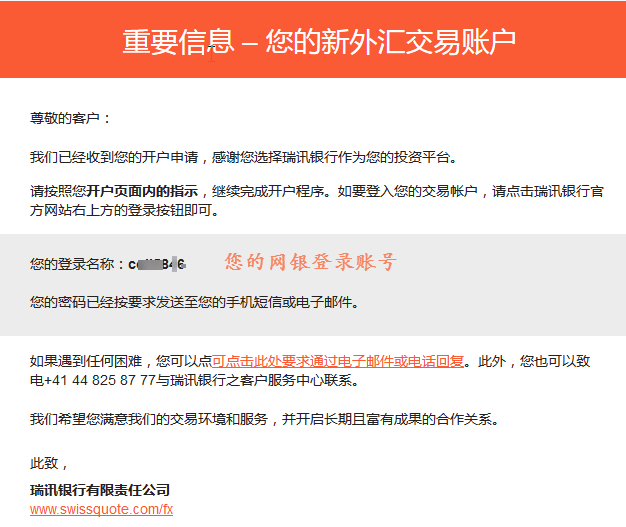
After opening an account at Ruixun Bank, you will receive a login account and temporary password. After authentication, you will receive the bank information. After receiving the deposit information, Ruixun Bank can activate online banking on its own. The online banking backend can now be changed to Chinese, and we are now helping you activate online banking.
If you do not already have a Ruixun Bank account, please firstregister。
If the following screen appears, please deposit and proceed with the operation
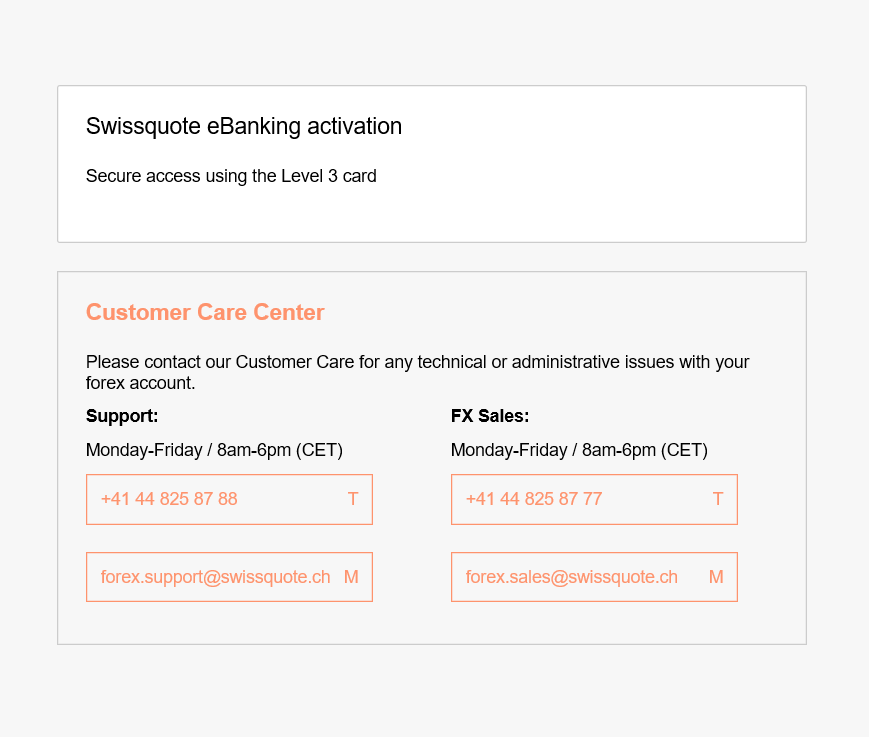
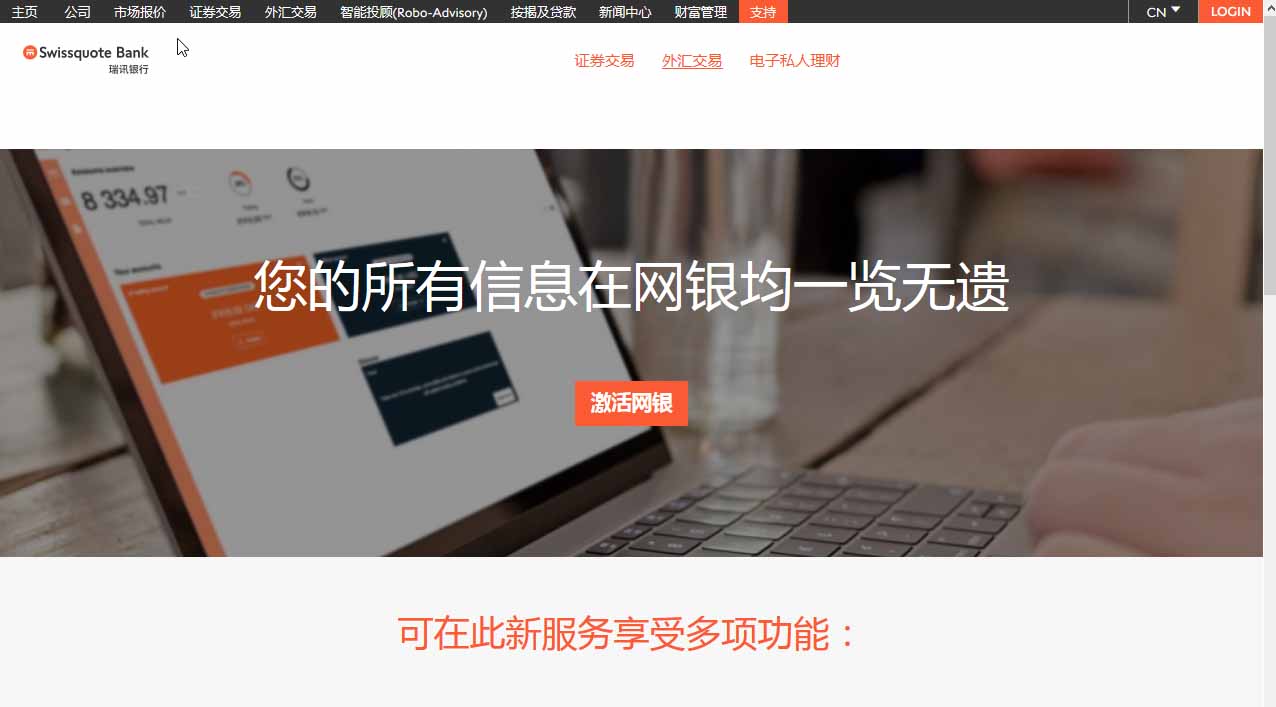
step1Open the link to enter the activation page, click on the upper right corner of the homepage “LOGIN”
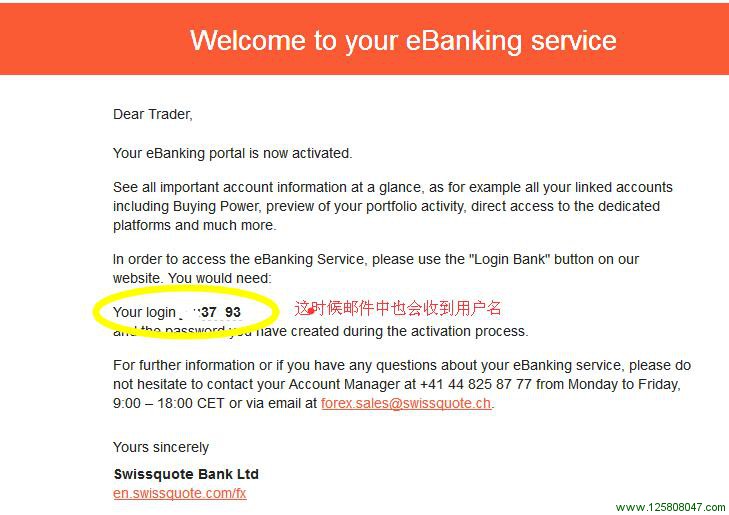
step2: SelectEbanking Pop up a dialog box and enter the username and password as shown in the figure below (find the email). If you haven't changed your password, you will be prompted to change it! There's no more picture here
step3Confirm the password and re-enter it. Point“Confim”.Enter the SMS and email verification interface. Select email verification here
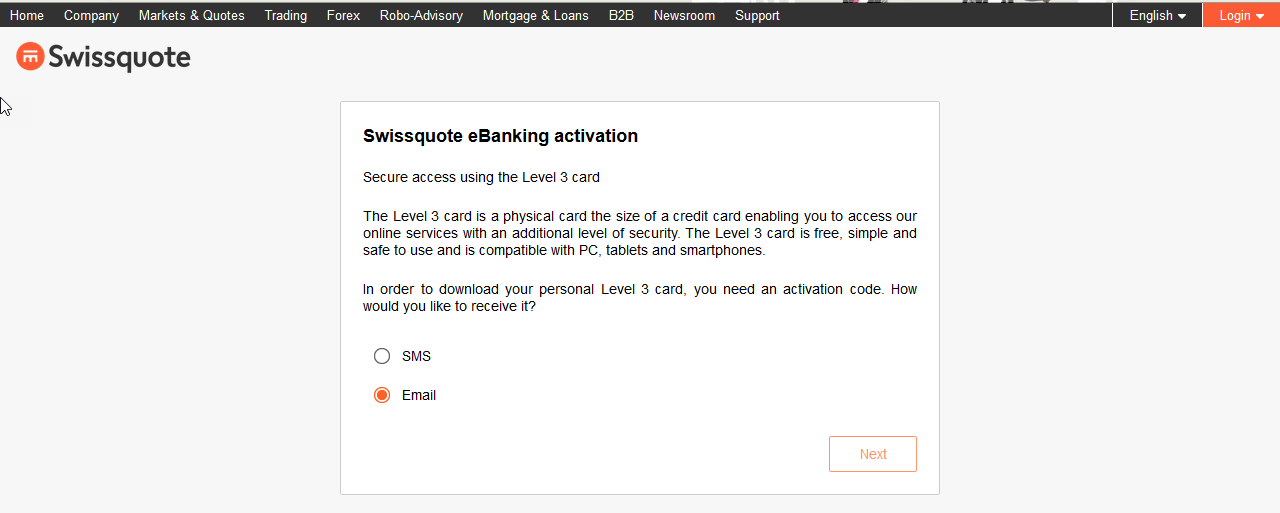
Found verification code in email.
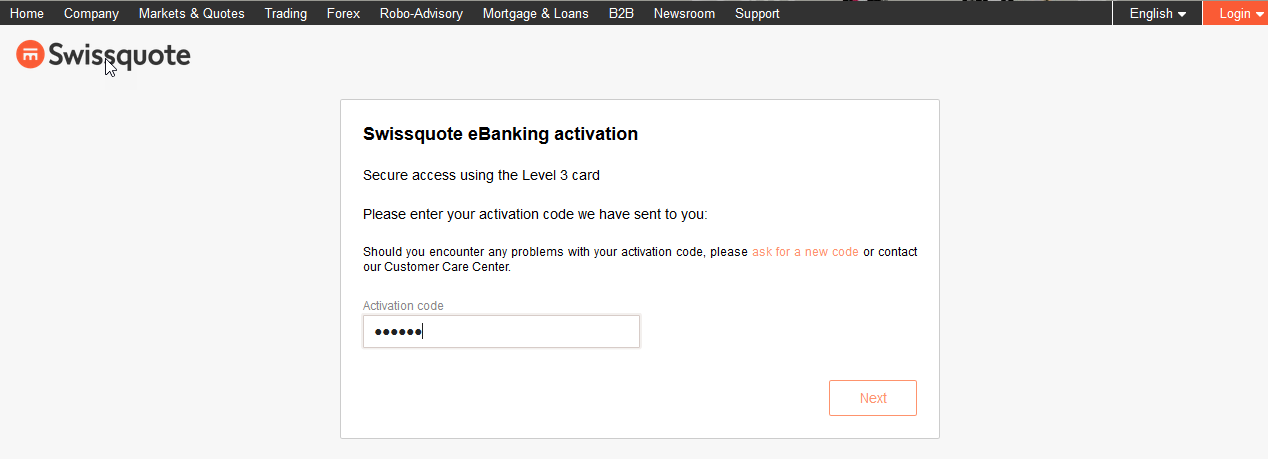
Enter the verification code.
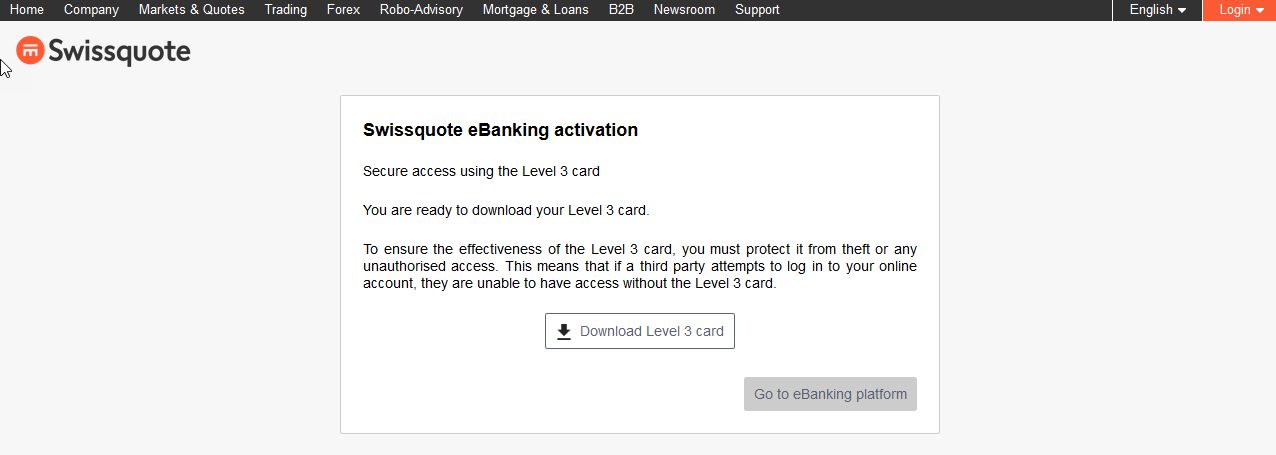
step4Important step, it is necessary to download the password card as shown in the following figure at this stepLevel 3 cardPassword CardPDFSave the file locally and make a backup, once the password cardPDFIf the file is lost, you cannot log in.
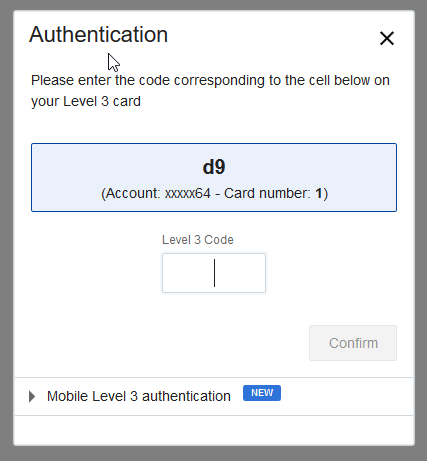
step4Enter the password verification page as shown in the following figurePDFThe corresponding password in the password card.
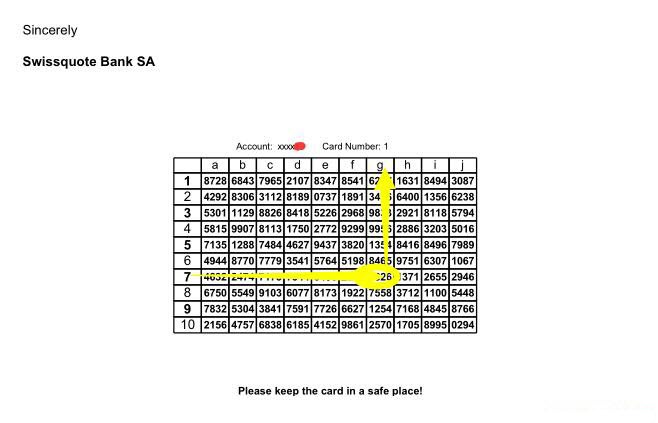
Click OK to log inSwissquote eBankingIn the background, after successful login, if there are multipleMT4Account, you can directly select and enter the transfer amount for internal transfer. Note that the balance displayed here is not real-time, it is from the previous trading day.
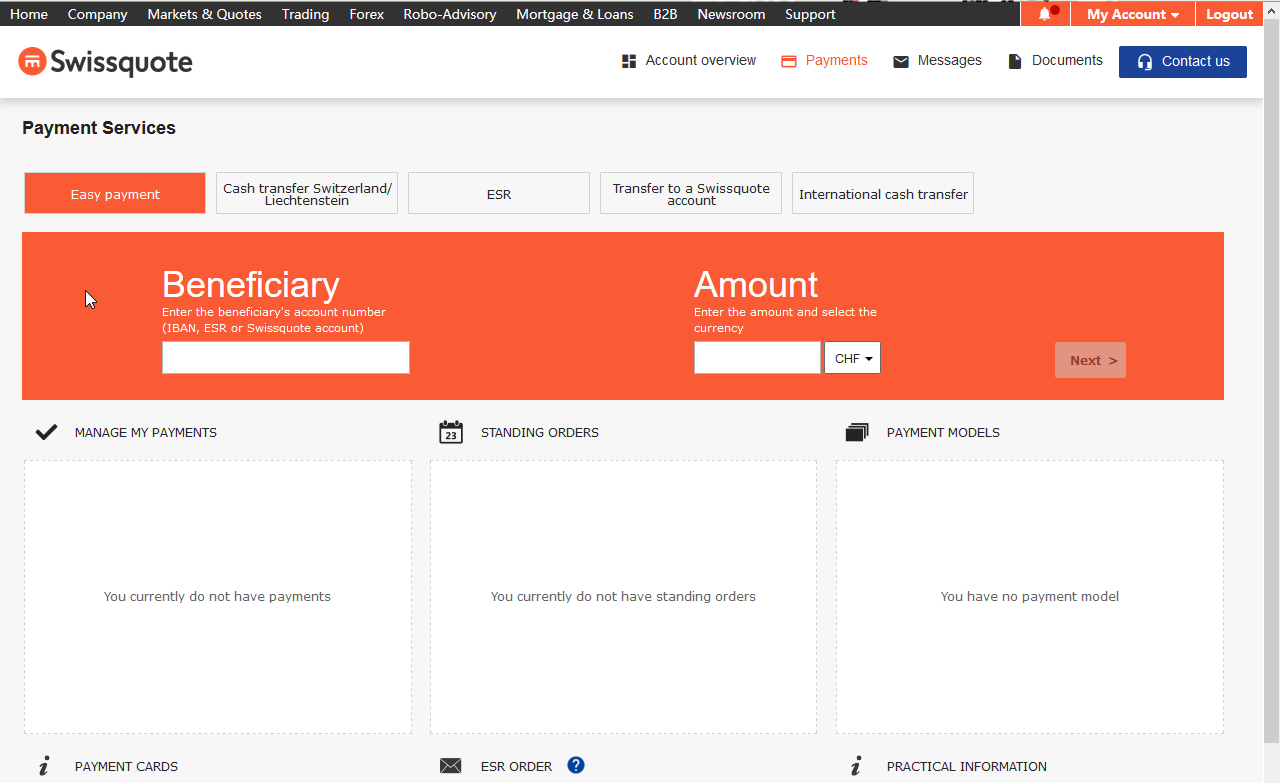
The activation of Ruixun Bank's online banking has been successful.
Enter the online banking backend and click on thePaymentsButton:
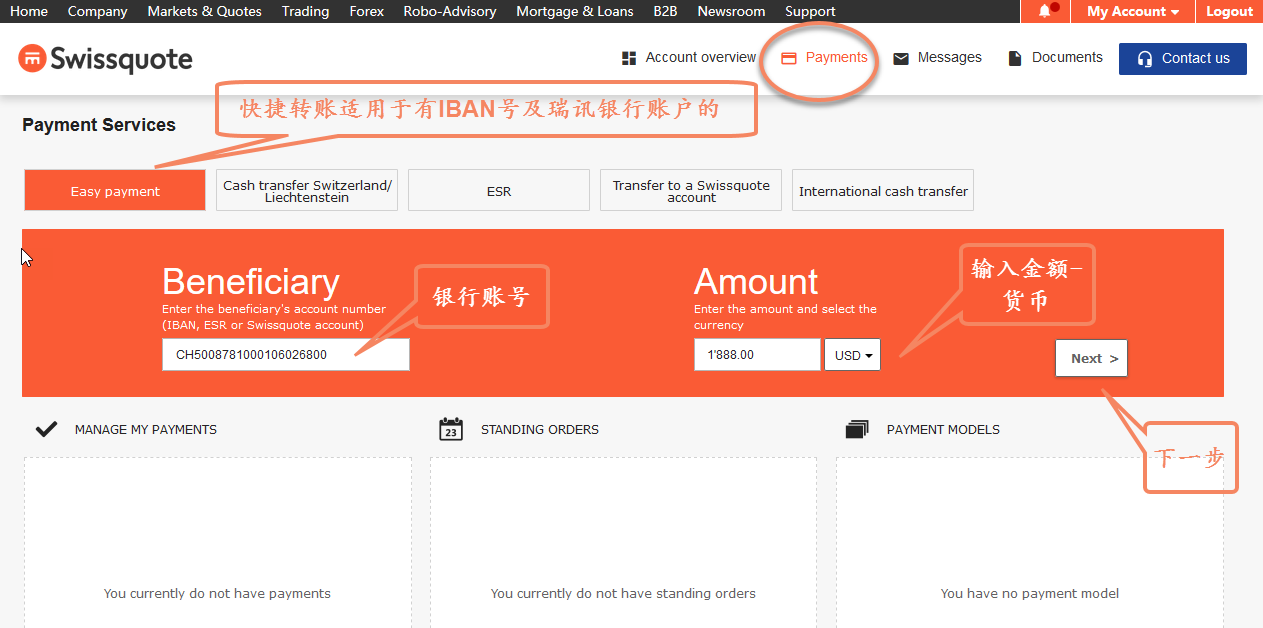
The first one is“Easy payment”Quick remittance can be made to your other Swift Bank account.
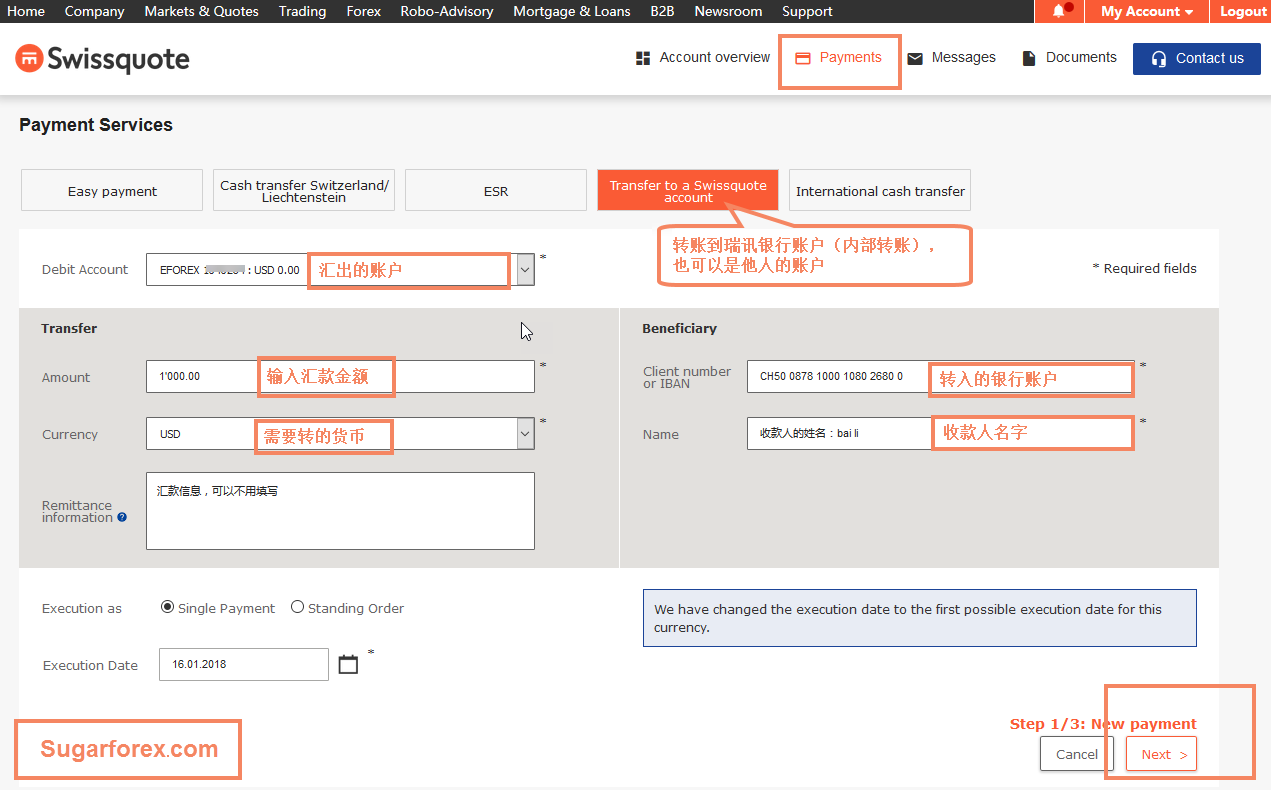
After entering the transfer page, click“Transfer to a Swissquote account”Internal transfer can be transferred to your other trading account at Ruixun Bank:
The last one is“International cash transfer"International remittance, also known as cross-border remittance! Can transfer funds to domestic banks and Hong Kong bank accounts
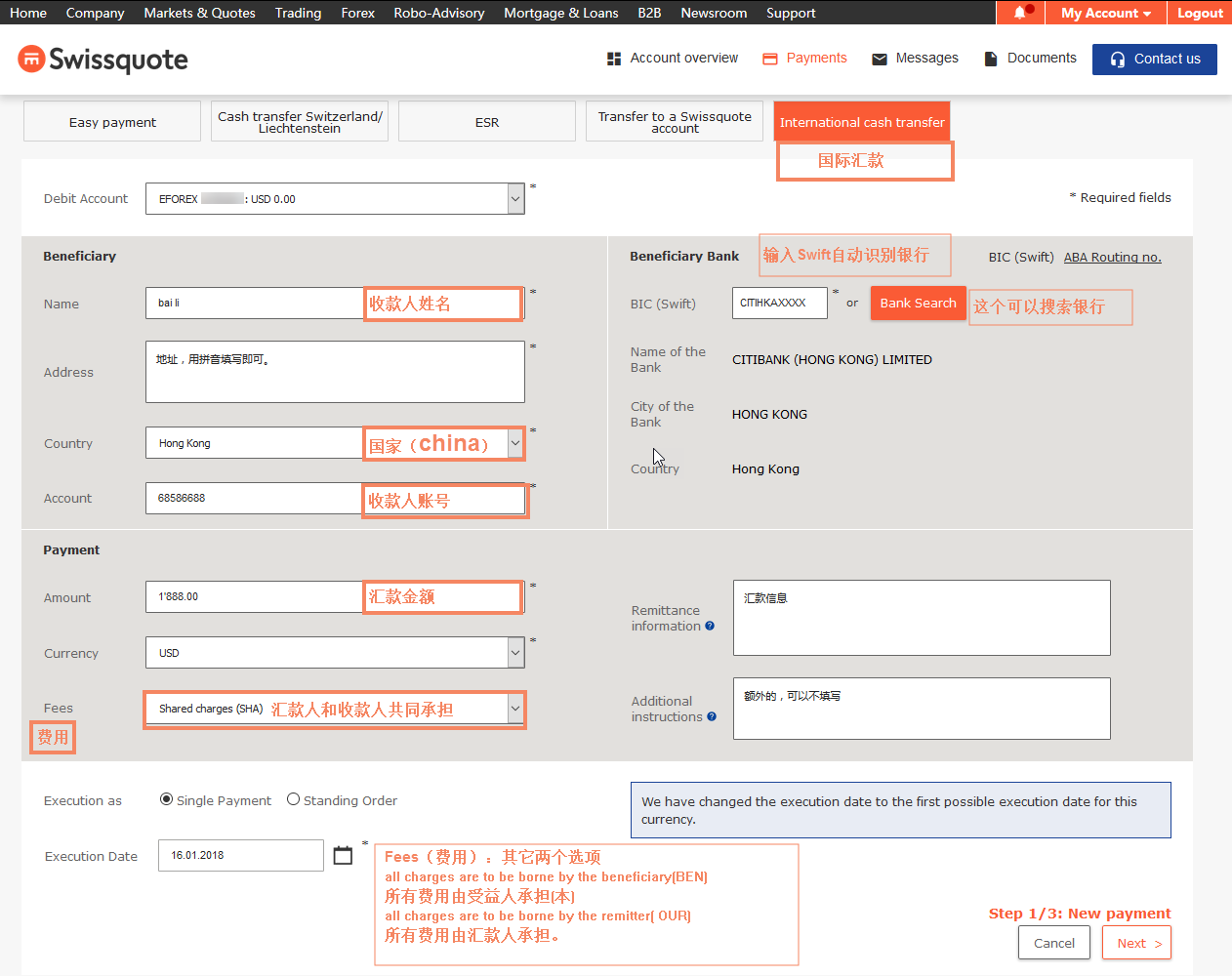
There are three options:
shared charges (SHA) The remitter and payee shall jointly bear the responsibility
all charges are to be borne by the beneficiary(BEN) All expenses shall be borne by the beneficiary
all charges are to be borne by the remitter( OUR) All expenses shall be borne by the remitter.
Ruixun Bank supports multiple applicationsMT4orMT5Account, if needed to addMT4orMT5Please contact your account manager for your account.
Multiple accounts under the same name can transfer funds to each other, which is commonly referred to as internal transfer.
Here's a reminder: Ruixun Bank is aMT4orMT5Account corresponds to oneIBANAccount, so applying for internal transfer for two accounts with the same name means applying for two different accounts with the same nameIBANIt is very convenient to fill out the application form for account fund transfer. Of course, if you activate online banking, you can directly transfer it within the login online banking backend operation, eliminating the need to fill out the form.
As shown in the figure:
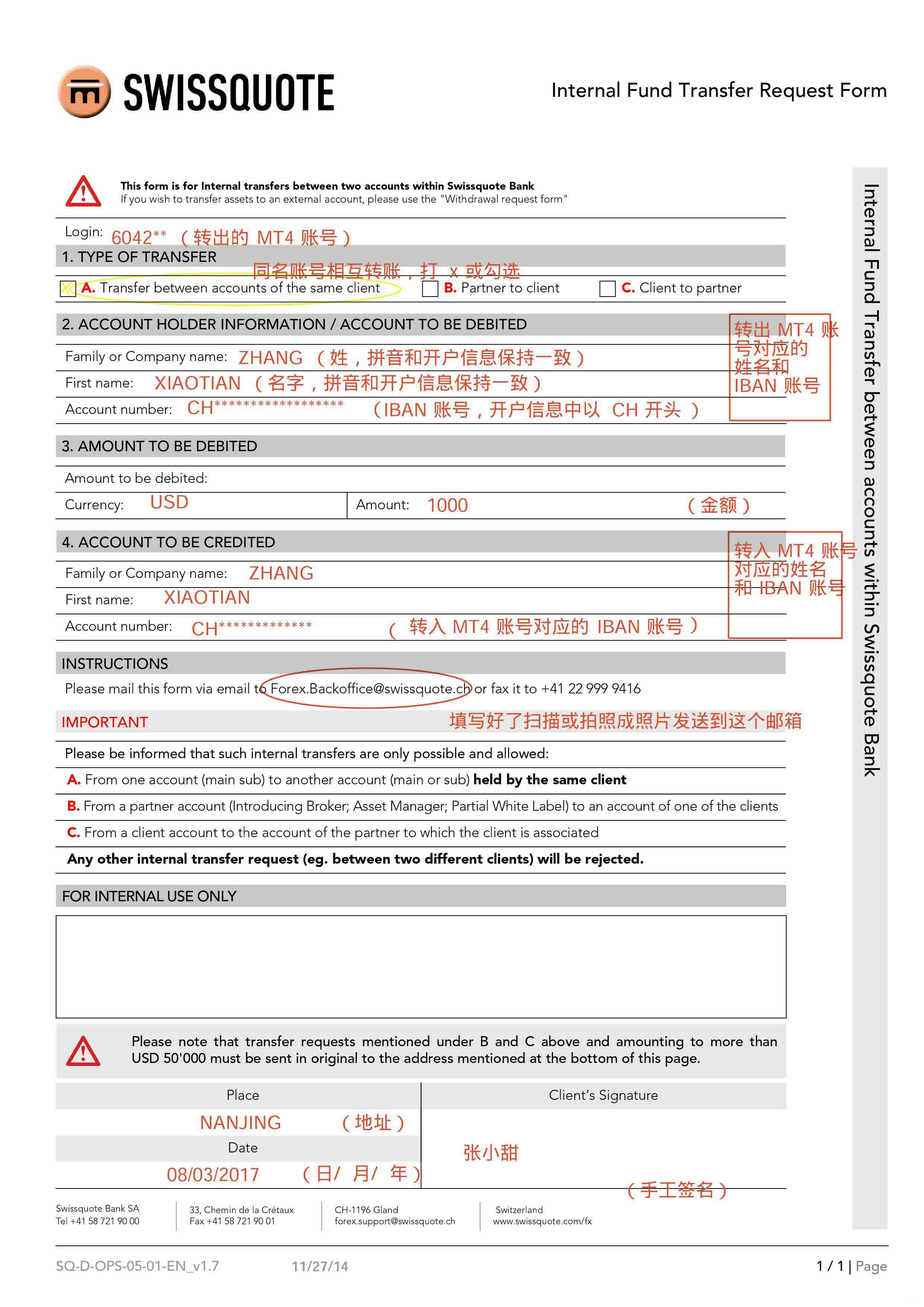
Download internal transferPDFThen print out the form and demonstrate it as shown in the following figure. Once completed, scan or take a photo and send it to thePDFThe email address specified on the form.
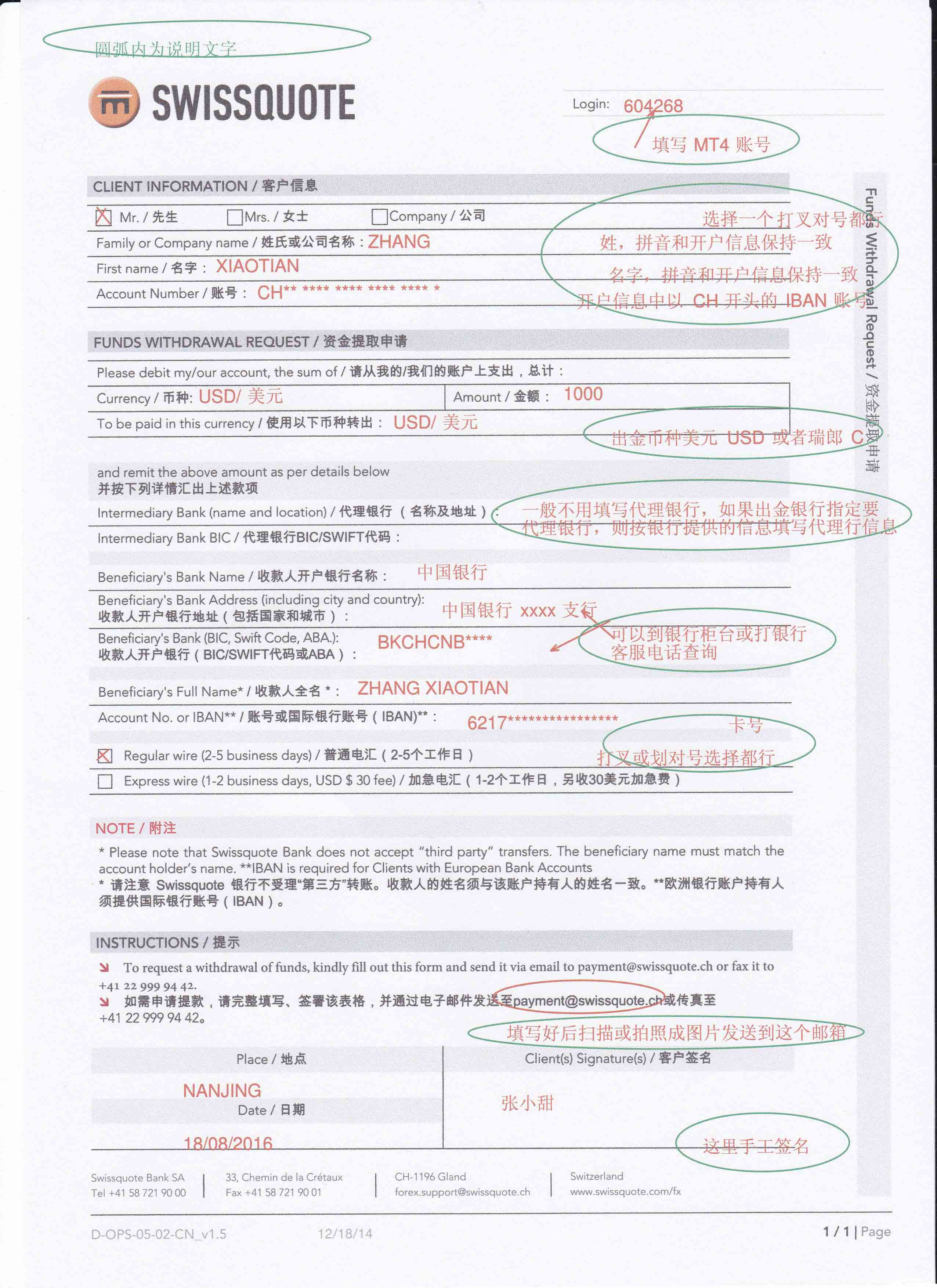
The profits and principal of Ruixun Bank's foreign exchange transactions can be quickly withdrawn through wire transfer (ordinary wire transfer)2-5Within working days, many cities usually transfer the funds to their domestic bank accounts within an hour. Please follow the steps below to apply for withdrawal:


MIP|Mobile version|A small dark room| |Site Map |customer serviceQQ:2381682638
Copyright © 2006-2024 Huiyi Interaction https://www.forexbbs.net copyright All Rights Reserved.